Game translation, made for iPad.
A little closer
to the story.
Connect your Switch to your iPad.
Understand the dialogue as you play.

明日、一緒に海を見に行こう。
Let’s go to the seaside tomorrow.
Stay in the game.
Live the story.
Select dialogue to see the original and translation.
From a quiet hello to a life-changing choice,
keep your attention on what happens next.
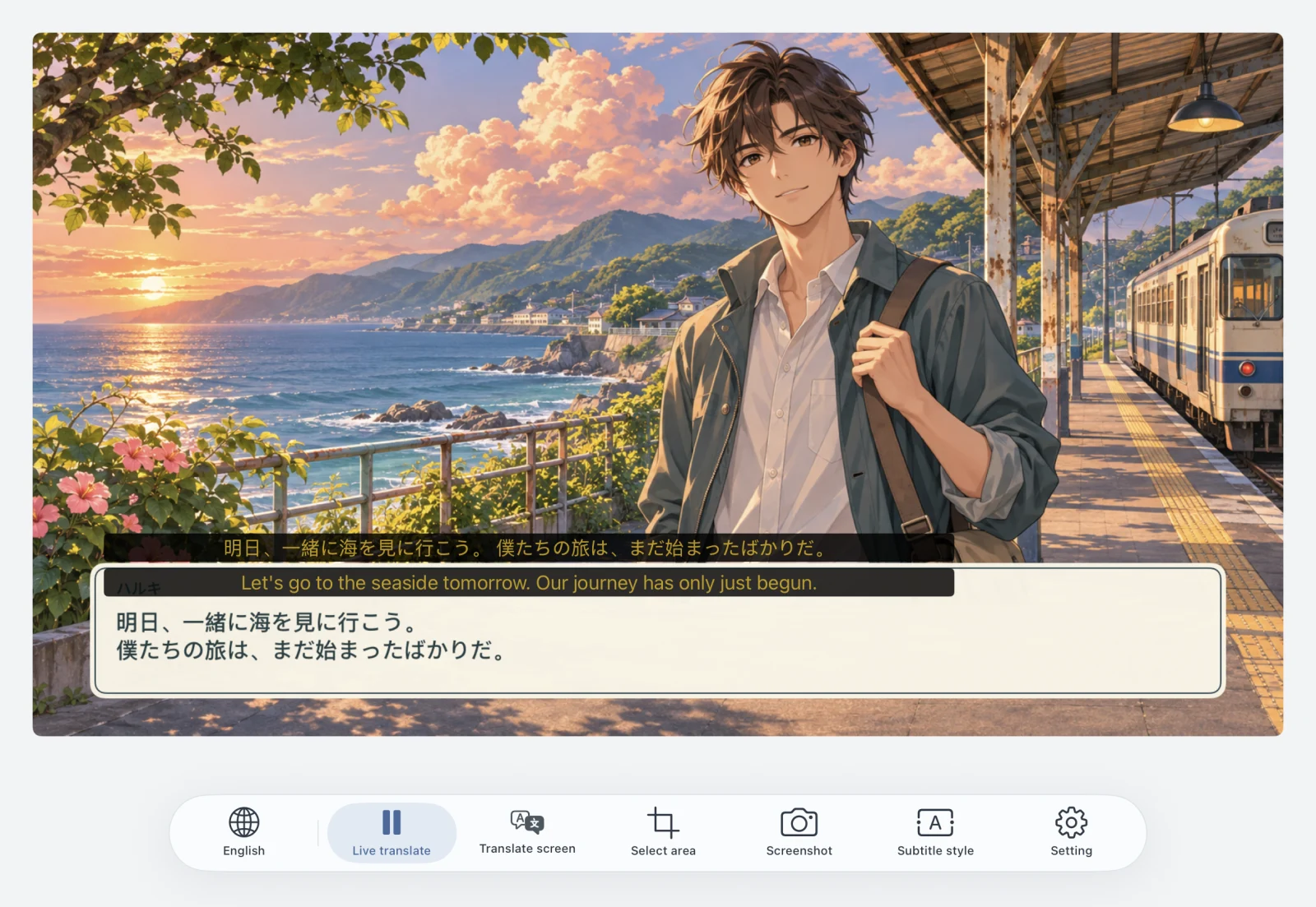
Full-screen translation.
Right where it belongs.
Translated text returns to its original place.
Read the story right where it unfolds.
明日、一緒に海を見に行こう。
僕たちの旅は、まだ始まったばかりだ。
Let’s go to the seaside tomorrow.
Our journey has only just begun.
Read it.
Pronounce it.
Readings above Japanese kanji
help you pronounce the words you see.
明日、一緒に
海を見に行こう。
Plug in. Settle in.
The story is waiting.
Make your iPad a game display and translator.
Connect a compatible USB capture card,
open SwitchGenie, and select your text.
Your Switch
HDMI video output from the dock
USB capture card
UVC compatible, sold separately
iPad + SwitchGenie
Open the app. Start translating.
Requires a Switch with video output, a compatible dock, HDMI cable, and an iPad-compatible USB capture device. Compatibility depends on your hardware configuration.
BEFORE YOU SET OFF
Good to know.
Do I need any extra hardware?
Yes. Connect a Switch that supports video output to your iPad using its dock, an HDMI cable, and a UVC-compatible USB capture card. SwitchGenie is a display and translation tool, not a game emulator.
Does translation need an internet connection?
Yes. Translation requires an internet connection. Text clarity, typefaces, and your network connection can affect recognition and translation results.
Can I change how subtitles look?
Yes. Adjust the text size, text color, and subtitle background opacity to suit your game.
Will it work with my iPad?
Check the current device and system requirements on the App Store, and make sure your iPad recognizes your USB capture device.
Your next favorite line is waiting.
Great stories.
A little closer.
Download on theApp StoreDesigned for iPad · Compatible capture card required